Guides
WCAG 2.1 and 2.2 Level AA requirements, explained
Use this WCAG 2.1 and 2.2 AA checklist to understand the requirements, what changed in 2.2, Norway's 48 vs 35 success criteria, and what an accessibility scanner can verify.
By Eivind Pihl Martinsen, Synli.aiLast updated August 23, 2026

The Web Content Accessibility Guidelines (WCAG) are the technical backbone of almost every accessibility law in Europe. Level AA is the conformance target named by the EU Web Accessibility Directive, the European Accessibility Act's supporting standard, and Norwegian regulation. This guide explains what AA actually requires, what changed between WCAG 2.1 and 2.2, and where automated scanning ends and human judgement begins.
Norway: why 48 for public sector and 35 for private
WCAG 2.1 has 78 testable success criteria, but Norwegian law does not use a single WCAG 2.1 baseline across both sectors. The ICT duty is anchored in section 18 of the Equality and Anti-Discrimination Act, with technical detail in the regulation on universal design of ICT, supervised by the Authority for Universal Design of ICT (Uutilsynet).
- Private sector: web solutions must meet 35 Level A and AA success criteria from WCAG 2.0, or equivalent. Criteria 1.2.3, 1.2.4 and 1.2.5 are excluded from that baseline.
- Public sector: Uutilsynet lists 48 applicable requirements through EN 301 549 v3.2.1 and WCAG 2.1. The 12 WCAG 2.1 additions took effect on 1 February 2023; criterion 1.2.5 also applies to prerecorded video published on or after 1 February 2024.
- Public sector bodies must additionally publish an accessibility statement (tilgjengelighetserklæring) for every website and app.
How WCAG is structured
WCAG is organised under four principles: content must be Perceivable, Operable, Understandable, and Robust (POUR). Each principle holds guidelines, and each guideline holds testable success criteria graded at three conformance levels: A, AA and AAA. Many policies target A and AA, but the binding level and version must be checked in the applicable rule.
- 4 principlesPerceivable, Operable, Understandable, Robust
- 13 guidelinesBroad goals under each principle
- Success criteriaTestable statements, graded A / AA / AAA
- ConformanceAA = meet all A and AA criteria that apply
WCAG 2.0 to 2.1 to 2.2: what changed
- WCAG 2.0 (December 2008) established 12 guidelines and the A/AA/AAA model.
- WCAG 2.1 (5 June 2018) added 17 success criteria focused on mobile, low vision and cognitive needs. It is incorporated in EN 301 549 v3.2.1 for the public-sector WAD context; Norway's covered private websites still use a 35-criterion WCAG 2.0 baseline.
- WCAG 2.2 (5 October 2023, updated 12 December 2024) added 9 success criteria and removed 4.1.1 Parsing as obsolete.
- WCAG 2.2 was designed to extend the earlier versions and is also published as ISO/IEC 40500:2025. If a binding rule names an older version or a fixed criterion set, verify that exact baseline as well.
The new Level A and AA criteria in WCAG 2.2
- 2.4.11 Focus Not Obscured (Minimum) — AA: the keyboard focus indicator must not be fully hidden by sticky headers or overlays.
- 2.5.7 Dragging Movements — AA: any drag action needs a single-pointer alternative (for example, a tap or button).
- 2.5.8 Target Size (Minimum) — AA: interactive targets must be at least 24 by 24 CSS pixels, with spacing exceptions.
- 3.2.6 Consistent Help — A: help mechanisms (contact, FAQ) appear in a consistent order across pages.
- 3.3.7 Redundant Entry — A: do not force users to re-enter information they already provided in the same process.
- 3.3.8 Accessible Authentication (Minimum) — AA: do not require a cognitive function test (like solving a puzzle or transcribing characters) as the only way to log in.
WCAG 2.2 adds nine criteria and removes 4.1.1 Parsing. Using 2.2 AA as an implementation target addresses newer barriers, but it does not by itself prove compliance with a rule that cites 2.0, 2.1 or a specific EN 301 549 version. Preserve any legacy criterion required by the applicable rule and assess scope separately.
What a scanner can verify, and what it cannot
Automated testing is useful but partial, and the share it can evaluate varies by content, implementation and test coverage. Tools are strong at supported deterministic checks and cannot replace human judgement, assistive-technology testing or representative user-flow coverage.
- Machine-verifiableMissing alt attribute, colour contrast ratios, form labels, language attributes, ARIA misuse
- Needs a humanWhether alt text is meaningful, logical reading order, link text in context, error-recovery quality
- Honest reportingMark each finding as verified by the tool or needing a human check — never inflate a score
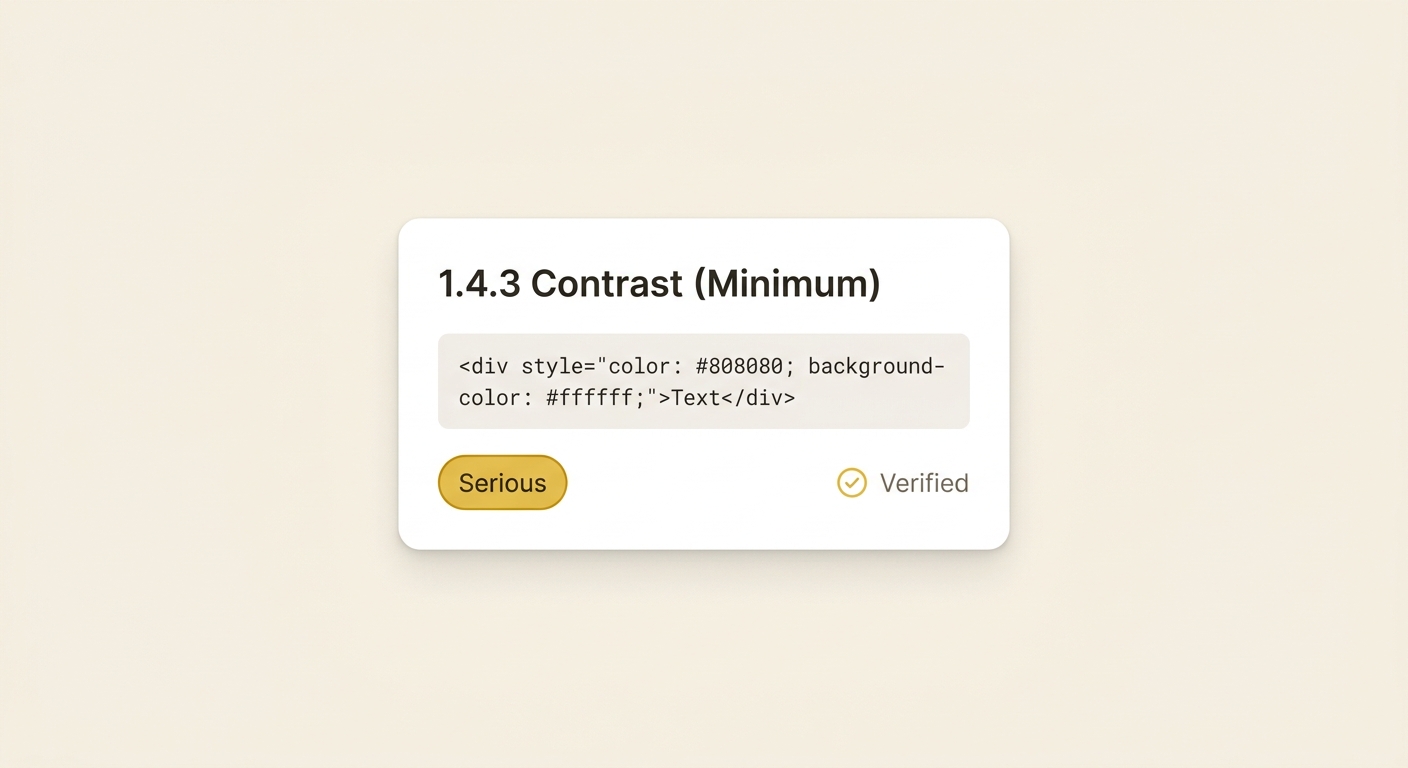
Synli runs an automated rule pass and then layers AI vision analysis on top — for example, judging whether an image's alt text actually describes the image rather than just confirming an attribute exists. Every item is labelled as tool-verified or needs-human-review, so the report is honest about its own limits.
A practical order of work
- Confirm which rule set applies to you (private vs public sector, website vs app).
- Run an automated scan to clear the deterministic failures first — contrast, labels, names, roles.
- Use WCAG 2.2 AA as a forward-looking implementation target, while retaining any older criterion required by the binding rule.
- Schedule human review for the judgement-based criteria a scanner flags as needs-review.
- Record the result in an accessibility statement if you are a public body.
FAQ
Can I use a WCAG 2.2 AA checker to prove full compliance?
No. An automated scanner can verify deterministic failures such as missing names, labels, contrast, landmarks, and keyboard traps, but WCAG also includes judgement-based criteria that need human review. Use scanner results as evidence and prioritisation, not as a legal conformance claim by themselves.
Should I test WCAG 2.1 AA or WCAG 2.2 AA?
WCAG 2.1 AA is a common technical reference in current European rules, while WCAG 2.2 AA is a useful implementation target for newer barriers. Legal effect depends on the exact directive, standard, national law, sector and solution type. Synli can structure findings in both 2.1 and 2.2 context without treating either as an automatic legal conclusion.
Why does Norway use both 35 and 48 success criteria?
Covered private-sector websites use 35 Level A and AA criteria from WCAG 2.0, while covered private-sector apps use 29 requirements from WCAG 2.1. Public-sector websites use 48 WCAG 2.1 requirements and public-sector apps use 42 through the EU Web Accessibility Directive. The right profile depends on organisation, solution type, scope and exceptions.