Guides
The Norwegian accessibility statement on uustatus.no
What a Norwegian accessibility statement (tilgjengelighetserklæring) is, who must publish one, how to complete it on uustatus.no, and how reviewed Synli evidence can support the manual workflow.
By Eivind Pihl Martinsen, Synli.aiLast updated August 23, 2026
An accessibility statement tells the public how accessible a website or app is, which requirements it meets, and what is not yet in place. Public-sector bodies covered by the Norwegian rules must create and publish a statement through the official government service uustatus.no for each website and app within scope. This guide walks through what it requires and how Synli shortens the work.
What is an accessibility statement?
The statement is a standardised self-report based on the EU Web Accessibility Directive (WAD). It documents status against the WCAG requirements, lists content that does not conform, and provides a feedback channel for users. It is not a guarantee of full accessibility — it is an honest, verifiable status report.
Who must have one?
- Public-sector bodies covered by the rules must publish an accessibility statement for each website and app they own or use to provide information or services to end users.
- The requirement arrived with the Web Accessibility Directive. Uutilsynet lists 48 requirements for public-sector websites and 42 for public-sector apps, subject to scope and exceptions.
- Private organisations generally do not have to publish an accessibility statement on uustatus.no. Private suppliers to the public sector can use the supplier portal to create a voluntary supplier assessment that a public-sector customer can use as a starting point.
The uustatus.no workflow
- AuditTest the solution against the WCAG criteria that apply to your sector
- Assess each requirementMark as met, not met, or not applicable — with a rationale
- Complete it on uustatus.noSign in, register the solution, and record status per requirement
- Publish and maintainLink the statement visibly and update it when the solution changes
How Synli supports the statement workflow
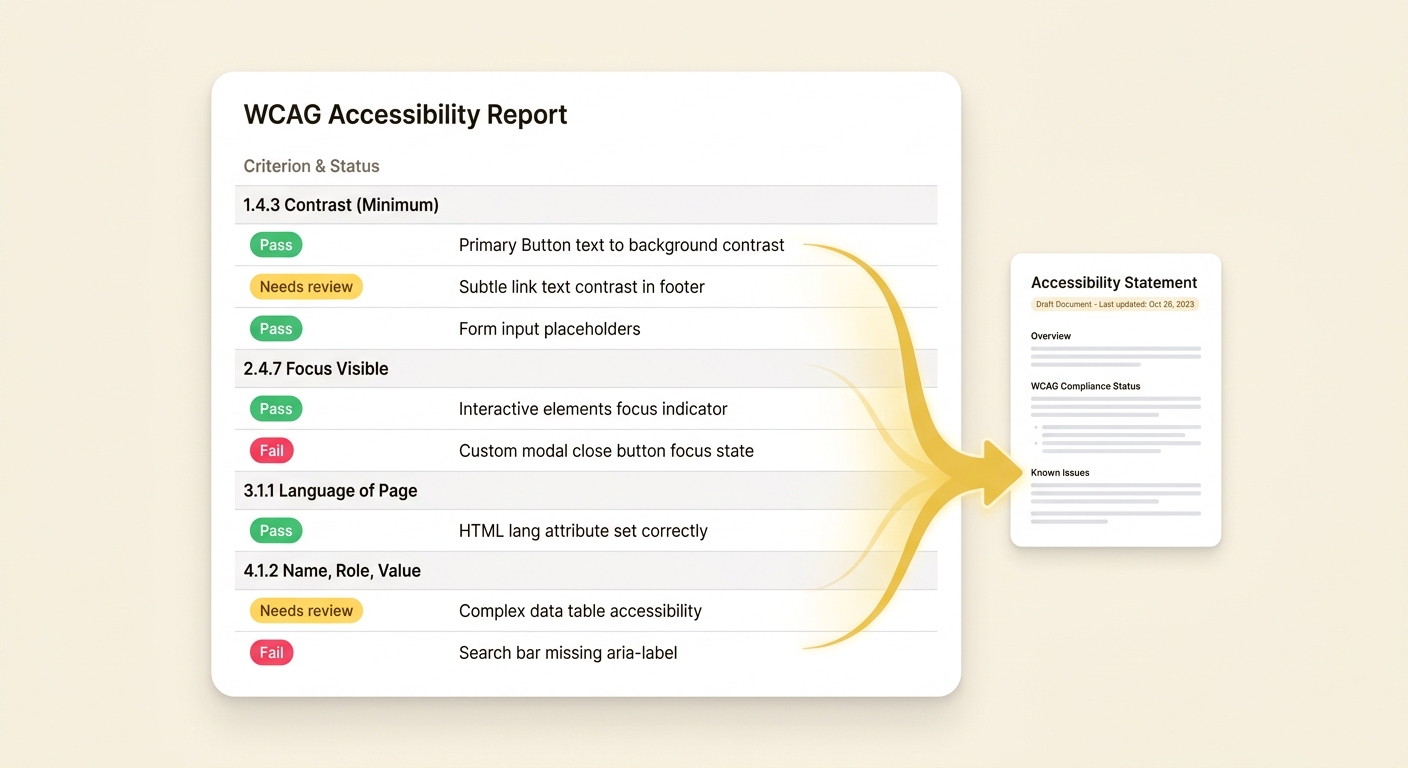
The difficult part is establishing a defensible status for every requirement across a representative scope. Synli links detected findings and evidence to WCAG criteria and separates tool results from items needing human review. Automated scan output remains unanswered for uustatus purposes until a person confirms the criterion, scope and supporting evidence.
- Synli groups reviewed evidence by WCAG criterion and provides a per-criterion copy helper for the corresponding uustatus questions.
- A reviewer must confirm every official answer, including criteria with no detected failures and content outside the crawler's reach.
- AI-assisted vision analysis can suggest whether alt text describes an image, but a person must confirm the judgement.
- Synli can create a Norwegian draft and structured exports; it does not submit, publish or replace the official uustatus.no service.
Practical steps
- Run a Synli scan of the solution and clear the deterministic failures.
- Review all criteria, representative pages and states, including results the scanner could not decide or reach.
- Use the Synli draft and copy helper while creating or updating the statement on uustatus.no; confirm every answer before filing.
- Publish the statement somewhere visible (typically the footer) and link the feedback channel.
- Set a routine to test and update the statement at least annually and after material changes to the solution.